No Code App Builder for iOS and Android: Create Apps without Coding Skills
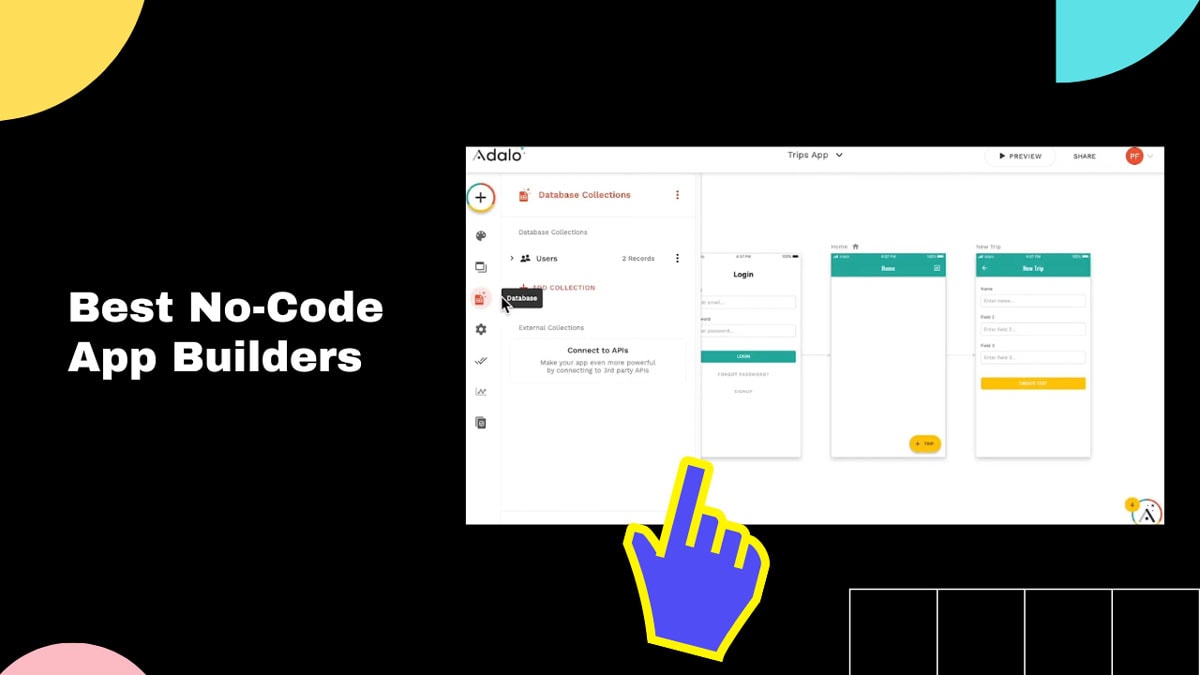
Are you looking to build your own mobile app but lack coding skills? Don't worry because now there are no code app builders available that allow you to create stunning iOS and Android apps without any programming knowledge. In this comprehensive guide, we will explore the world of no code app builders, their benefits, and how they can help you bring your app ideas to life.
With the rapid growth of mobile technology, having a mobile app for your business or personal use has become essential. However, the process of developing an app from scratch can be daunting, especially if you don't have a background in programming. This is where no code app builders come in. These intuitive platforms provide a user-friendly interface and pre-built templates, allowing you to design and launch your own app quickly and effortlessly.
Understanding No Code App Builders
Creating a mobile app used to require extensive coding knowledge and expertise. However, with the emergence of no code app builders, the development process has become accessible to individuals without programming backgrounds. No code app builders utilize a visual interface and drag-and-drop functionality, eliminating the need to write complex lines of code.
These platforms provide a wide range of pre-built templates and components, allowing you to customize your app's design and functionality without any coding skills. Whether you're looking to create a simple informational app or a feature-rich e-commerce platform, no code app builders offer the flexibility to bring your ideas to life.
When choosing a no code app builder, consider factors such as ease of use, available features, scalability, and pricing. Some popular options in the market include Appgyver, Adalo, and Bubble. Each platform has its own unique set of features and target audience, so it's essential to evaluate your specific requirements before making a decision.
No Code App Builder Features
No code app builders come equipped with a range of features that simplify the app development process. These features typically include:
- Drag-and-drop interface: This feature allows you to easily add and arrange different elements of your app, such as buttons, images, and text, by simply dragging and dropping them onto the design canvas.
- Template library: No code app builders offer a variety of pre-designed templates that you can customize to suit your app's purpose and branding. These templates provide a solid foundation for your app's design and layout.
- Visual editor: The visual editor allows you to make real-time changes to your app's design and layout. You can easily adjust colors, fonts, and sizes, ensuring a visually appealing and consistent user experience.
- Database integration: Many no code app builders provide seamless integration with databases, allowing you to store and retrieve data within your app. This feature is particularly useful for apps that require user registration, data storage, or dynamic content.
- Third-party integrations: Most no code app builders support integrations with popular third-party services, such as payment gateways, social media platforms, and analytics tools. This enables you to enhance your app's functionality and provide a seamless user experience.
- Preview and testing: No code app builders typically offer a preview mode, allowing you to see how your app will look and function on different devices before publishing. Additionally, you can test your app's functionality and identify any potential issues or bugs.
Benefits of Using a No Code App Builder
No code app builders offer numerous benefits that make them an attractive option for individuals and businesses looking to develop their own apps. Let's explore some of these advantages in detail:
No Coding Skills Required
The most significant advantage of using a no code app builder is that you don't need any coding skills to create a fully functional app. The visual interface and drag-and-drop functionality make app development accessible to everyone, regardless of their technical background. You can design your app, add features, and customize its appearance without writing a single line of code.
Cost and Time Savings
Traditional app development can be time-consuming and expensive. Hiring a developer or a development team, along with the ongoing maintenance costs, can quickly add up. No code app builders eliminate the need for extensive development resources, significantly reducing both time and costs. You can create and launch your app quickly, saving valuable time and money.
Flexibility and Customization
No code app builders offer a wide range of customization options, allowing you to create an app that matches your unique vision. From choosing a template to customizing its design, layout, and functionality, you have full control over how your app looks and behaves. This flexibility ensures that your app stands out from the competition and aligns with your brand identity.
User-Friendly Interface
No code app builders prioritize ease of use, ensuring that even non-technical users can navigate through the development process effortlessly. The intuitive interface, coupled with comprehensive documentation and tutorials, empowers individuals to create professional-looking apps without any steep learning curve.
Real-Time Updates
No code app builders allow you to make real-time changes to your app without the need for resubmission or lengthy approval processes. This means you can quickly iterate and improve your app based on user feedback or changing business requirements. Real-time updates ensure that your app remains up-to-date and relevant in a fast-paced digital landscape.
Getting Started with a No Code App Builder
Ready to build your own app using a no code app builder? Follow these steps to get started:
1. Define Your App's Purpose and Target Audience
Before diving into app development, clearly define the purpose of your app and identify your target audience. Understanding your app's goals and target market will help you make informed decisions when choosing templates, features, and design elements.
2. Research and Choose the Right No Code App Builder
Explore different no code app builders available in the market and evaluate them based on your specific requirements. Consider factors such as ease of use, available features, scalability, and pricing. Sign up for free trials or demos to get a feel for the platform before committing to a subscription.
3. Familiarize Yourself with the Platform
Take the time to familiarize yourself with the chosen no code app builder's interface and features. Most platforms offer comprehensive documentation, tutorials, and customer support to help you navigate through the development process smoothly. Understanding the platform's capabilities will enable you to make the most of its features.
4. Choose a Template
Most no code app builders provide a range of templates to choose from. Select a template that closely aligns with your app's purpose and branding. Templates act as a starting point and can be customized later to suit your specific requirements.
5. Customize Your App's Design
Once you have chosen a template, it's time to customize your app's design. No code app builders offer a variety of customization options, including color schemes, fonts, layouts, and images. Ensure that your app's design reflects your brand identity and provides a visually appealing user experience.
6. Add Features and Functionality
No code app builders provide a range of features and functionalities that you can add to your app with just a few clicks. Explore the available options and select the ones that align with your app's goals. Whether it's integrating social media sharing, implementing in-app purchases, or adding push notifications, these features enhance your app's functionality and user engagement.
7. Test and Refine Your App
Before launching your app, thoroughly test its functionality on different devices. Check for any bugs, issues, or inconsistencies. Invite friends, colleagues, or beta testers to provide feedback and identify areas for improvement. Make necessary adjustments and refinements to ensure that your app delivers a seamless user experience.
8. Publish Your App to the App Stores
Once you are satisfied with your app's design and functionality, it's time to publish it to the iOS App Store and Google Play Store. Each platform has its own submission guidelines and requirements. Follow the respective guidelines and provide all the necessary information, such as app description, screenshots, and app icons. Submit your app for review and await approval.
9. Maintain and Update Your App
Launching your app is just the beginning. Continuously monitor user feedback and analytics to identify areas for improvement. Regularly update your app with new features, bug fixes, and performance enhancements. By providing a well-maintained app, you can ensure a positive user experience and foster customer loyalty.
10. Promote Your App
Building an app is only half the battle; promoting it is equally important. Utilize various marketing strategies to increase your app's visibility and attract users. Leverage social media platforms, create engaging content, collaborate with influencers, and encourage users to leave reviews. A well-executed marketing campaign can significantly boost your app's downloads and user engagement.
The Future of No Code App Builders
No code app builders have revolutionized the app development landscape, making it accessible to a broader audience. But what does the future hold for these platforms? Let's explore some exciting trends and advancements:
AI-Powered App Development
As artificial intelligence continues to advance, we can expect to see AI-powered features in no code app builders. Imagine a platform that uses machine learning algorithms to analyze user behavior and automatically suggests personalized app designs and functionalities. AI can also assist in optimizing app performance, identifying potential issues, and providing real-time recommendations for improvement.
Voice-Enabled Interfaces
Voice technology has gained immense popularity with the rise of virtual assistants like Siri, Alexa, and Google Assistant. In the future, we can anticipate the integration of voice-enabled interfaces in no code app builders. This would enable users to create voice-controlled apps without the need for complex coding. Voice commands could be used to navigate through the app, perform specific actions, or retrieve information, enhancing the overall user experience.
Integration with Internet of Things (IoT)
The Internet of Things (IoT) is transforming the way we interact with devices and our surroundings. No code app builders could incorporate seamless integration with IoT devices, allowing users to build apps that interact with smart home appliances, wearable devices, and other connected technologies. This opens up a whole new realm of possibilities for app development, from home automation to personalized health and fitness apps.
Collaborative App Development
The future of no code app builders could involve collaborative features that facilitate teamwork and collective app development. These platforms may allow multiple users to work on the same app simultaneously, with real-time collaboration and version control. This would be particularly beneficial for teams working on app projects, enabling efficient communication, division of tasks, and streamlined development processes.
Enhanced Security and Privacy Features
As concerns regarding data privacy and security continue to grow, no code app builders will likely focus on strengthening their security measures. We can expect enhanced encryption protocols, secure user authentication methods, and robust data storage options. App builders may also provide comprehensive privacy settings, allowing users to control the data collected by their apps and ensuring compliance with data protection regulations.
Augmented Reality (AR) and Virtual Reality (VR) Integration
AR and VR technologies have gained significant traction in various industries, including gaming, entertainment, and education. No code app builders could integrate these immersive technologies, enabling users to create AR and VR experiences without writing complex code. Imagine designing interactive virtual tours, educational simulations, or engaging gaming experiences with just a few clicks.
Continuous Platform Enhancements
No code app builders will continue to evolve and improve their platforms to meet the ever-changing demands of app development. We can expect regular updates and new features that enhance the user experience, expand customization options, and improve app performance. These enhancements will ensure that no code app builders remain at the forefront of app development technology.
In conclusion, no code app builders have transformed the app development landscape, empowering individuals and businesses to create their own mobile apps without coding skills. With their user-friendly interfaces, extensive customization options, and time and cost savings, these platforms offer a viable solution for turning app ideas into reality. The future of no code app builders looks promising, with advancements in AI, voice-enabled interfaces, IoT integration, collaborative development, security features, AR/VR integration, and continuous platform enhancements. Embrace the power of no code app builders and unlock your app development potential today.
Post a Comment for "No Code App Builder for iOS and Android: Create Apps without Coding Skills"